
If you’ve ever wanted to send or receive money internationally from Nigeria without high fees, Wise (formerly TransferWise) is one of the best options. This step-by-step guide will show you how to open a Wise account in Nigeria, verify it, and start sending or receiving money safely — even if you’re a beginner.
In 2026, Wise is widely used by freelancers, online sellers, and businesses for fast, low-cost international payments.
Wise is a digital financial platform that lets you:
- Send money abroad at a low cost
- Receive payments in multiple currencies
- Hold balances in different currencies
- Get a debit card for international use
Unlike banks, Wise does not charge hidden fees, and its exchange rates are transparent.
SEE ALSO: How to Create a PayPal Account in Nigeria (2026 Step-by-Step Guide for Beginners)
Why Nigerians Use Wise
Below are some of the reasons why Nigerians use Wise for their transactions
- Save on international transfer fees
- Receive payments from clients globally
- Pay for services online without extra charges
- Get a multi-currency account for business or personal use
Wise is especially popular among freelancers, online marketers, and small business owners.
Requirements to Open a Wise Account in Nigeria
Before you start, make sure you have:
- A valid email address
- Nigerian phone number
- Valid government-issued ID (like NIN, International Passport, or Driver’s License)
- Bank account or debit card (for funding your Wise account)
- Smartphone or computer
Take note: Your ID must match your real name exactly.
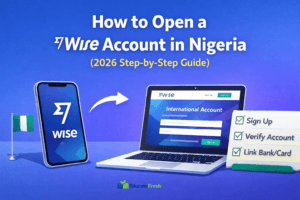
Step-by-Step: How to Open a Wise Account in Nigeria
Step 1: Visit the Wise Website or App
- Go to the Wise official website at www.wise.com or download the Wise app on your smartphone
- Click Sign Up
Step 2: Choose Account Type
Wise offers:
- Personal Account – for individuals
- Business Account – for freelancers and businesses (Choose Business Account if you want to receive payments from clients.)
Step 3: Enter Your Personal Details
- Full name (as on your ID)
- Email address
- Phone number
- Create a strong password
- Click Next.
Step 4: Verify Your Email
- Wise will send a confirmation email
- Open it and click the verification link
Step 5: Add Your Nigerian Bank or Card
- Link your debit card or bank account to fund your Wise account
- Wise may ask you to deposit a small amount for verification
Step 6: Verify Your Identity
- Upload your government-issued ID
- Take a selfie for verification
- Wait for Wise to approve your account (usually a few hours to 1 business day)
Verification increases your transfer limits and account security.
How to Send Money with Wise in Nigeria
Wise provides a real-time exchange rate and shows all fees upfront. To send money with Wise in Nigeria, simply follow the steps below.
- Log in to your account
- Click Send Money
- Enter recipient details and amount
- Choose your payment method (bank transfer, card, etc.)
- Confirm and send
How to Receive Money with Wise in Nigeria
- Share your Wise account details or account link
- The sender transfers money
- Funds appear in your Wise account in the chosen currency
Wise allows you to hold multiple currencies at the same time.
Wise Debit Card in Nigeria
- Some Nigerian users can order the Wise debit card
- Use it to spend online or withdraw from ATMs internationally
- Check if it’s available in your region when registering
Common Wise Problems in Nigeria (and Solutions)
1. Account Verification Delays
Cause: ID documents unclear
Solution: Upload high-quality scans and follow instructions carefully
2. Transfers Fail
Cause: Incorrect recipient details or insufficient funds
Solution: Double-check the recipient info and ensure you have enough balance
3. Currency Limitations
Cause: Some currencies may have restrictions in Nigeria
Solution: Check Wise support for your currency
Safety Tips for Wise Users
- Only use the official website or app
- Never share your password or verification codes
- Enable two-factor authentication (2FA)
- Monitor your account for unusual activity
Frequently Asked Questions (FAQ)
Can Nigerians open a Wise account in 2026?
Yes — Wise supports Nigerian users for sending, receiving, and holding money.
Is Wise free to use?
Creating an account is free. Fees apply for transfers, but they are much lower than those of banks.
How long do transfers take?
Usually 1–3 business days, depending on destination and currency.
In Summary
Opening a Wise account in Nigeria is easy, fast, and secure when you follow the steps above. Wise is ideal for anyone receiving payments from international clients, freelancers, or online sellers.
Set up your account correctly, verify it, and start sending or receiving money without hidden fees. Meanwhile, if you have any questions on How to Open a Wise Account in Nigeria (2026 Step-by-Step Guide), feel free to use the comment box below.
Also, share this article on your social media accounts so that others can know about it.